直感的!プロンプト作成! PromptIngest
- ダウンロード商品PromptIngest Trial(Windows体験版)¥ 0無料ダウンロードPromptIngest_Trial_for_Windows_v1.7.0.zip(16.8 MB)PromptIngest_Trial_for_Windows_v1.7.0.zip
- ダウンロード商品PromptIngest Product Full version(Windows製品版)¥ 500
- ダウンロード商品PromptIngest Trial(Mac体験版)¥ 0無料ダウンロードPromptIngest_Trial_for_Mac_v1.7.1.zip(19.5 MB)PromptIngest_Trial_for_Mac_v1.7.1.zip
- ダウンロード商品PromptIngest Product Full version(Mac製品版)¥ 500
ゲットしたプロンプト、自分の使いたいタグだけをサクサク取り込みたい! プロンプトをドラッグ&ドロップでサクサク組み替え替えたい! もうメモ帳がいっぱいいっぱいで、なんのプロンプトなのかわからん!! コピペしまくってCtrlキーを押すのすらもうつかれた!! (なんと(C)のみでコピー可能!!笑)
プロンプト作成をとにかく直感的に!!
AI画像生成のプロンプト作成を効率化する、 クリエイターのためのプロンプト作成補助ツールです。 基本機能はローカル環境でサクサク動きますので、 安心して画像作りに没頭してください。 Xフォロワー300人突破記念価格!500円!
できること
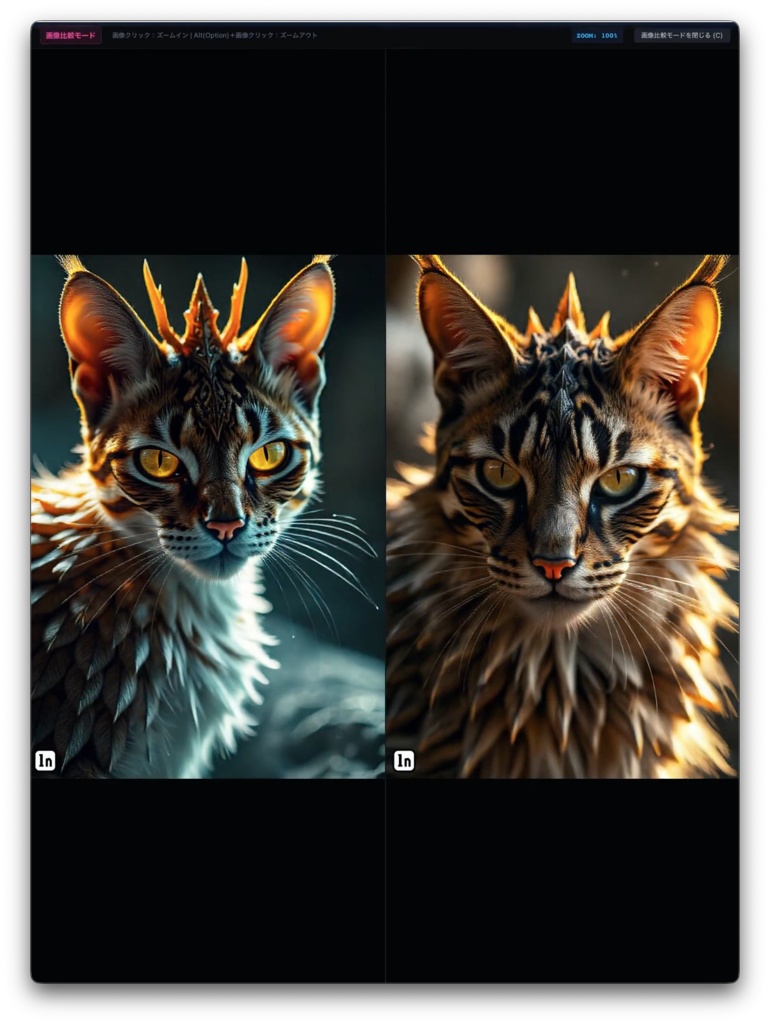
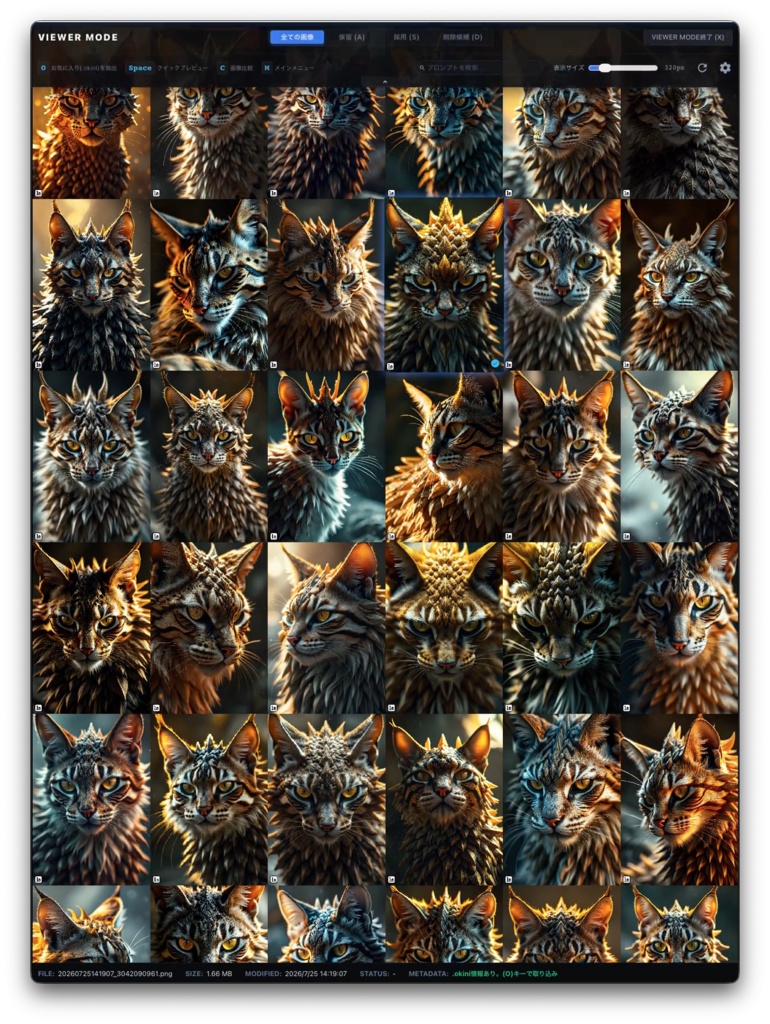
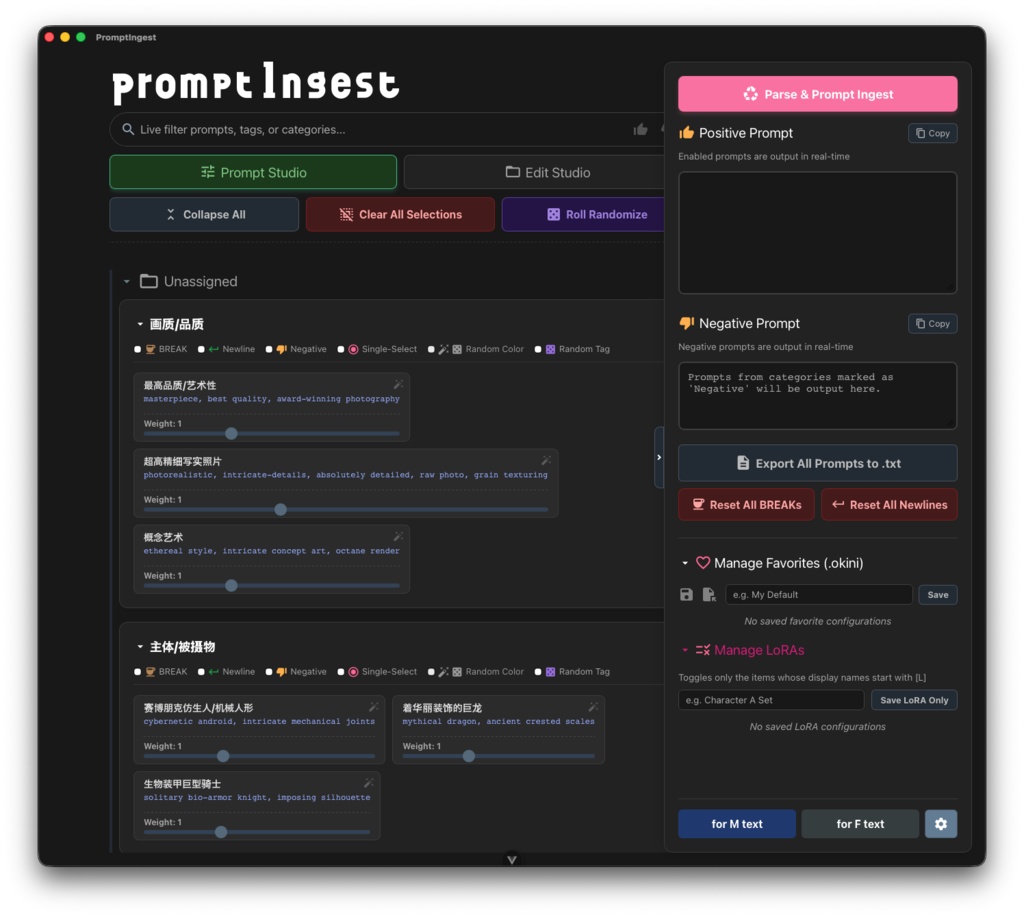
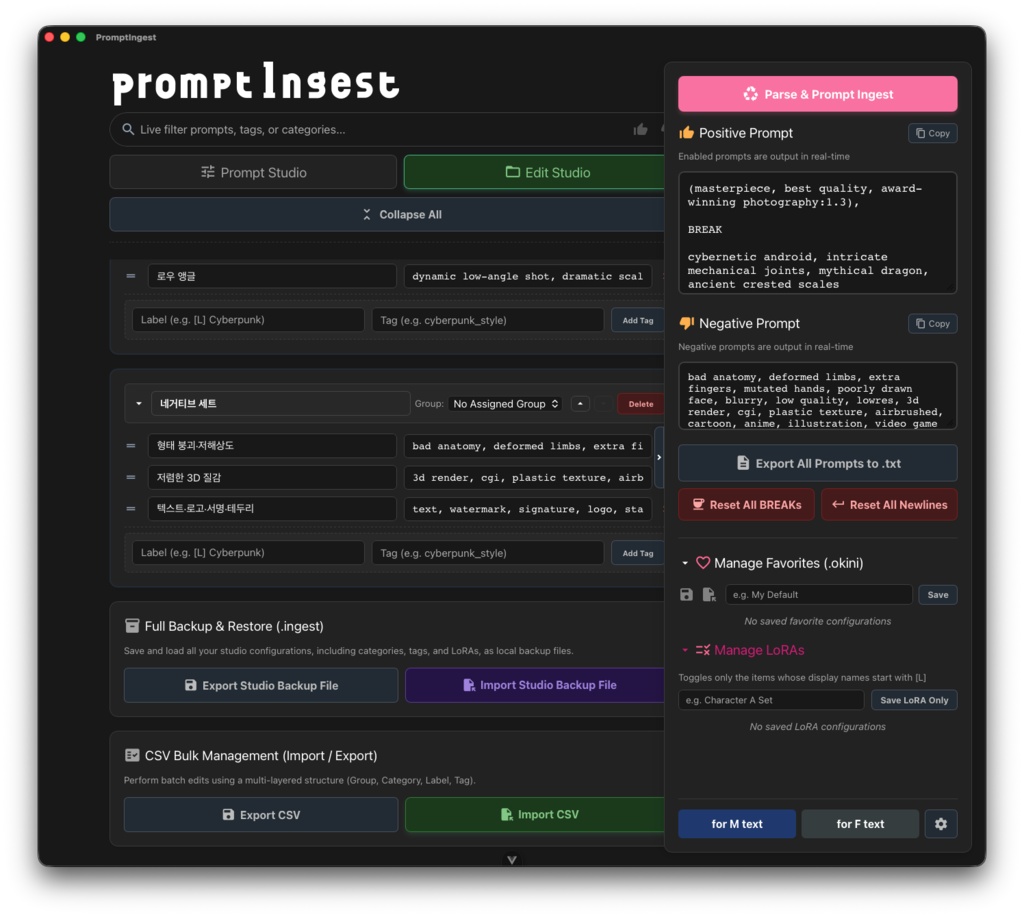
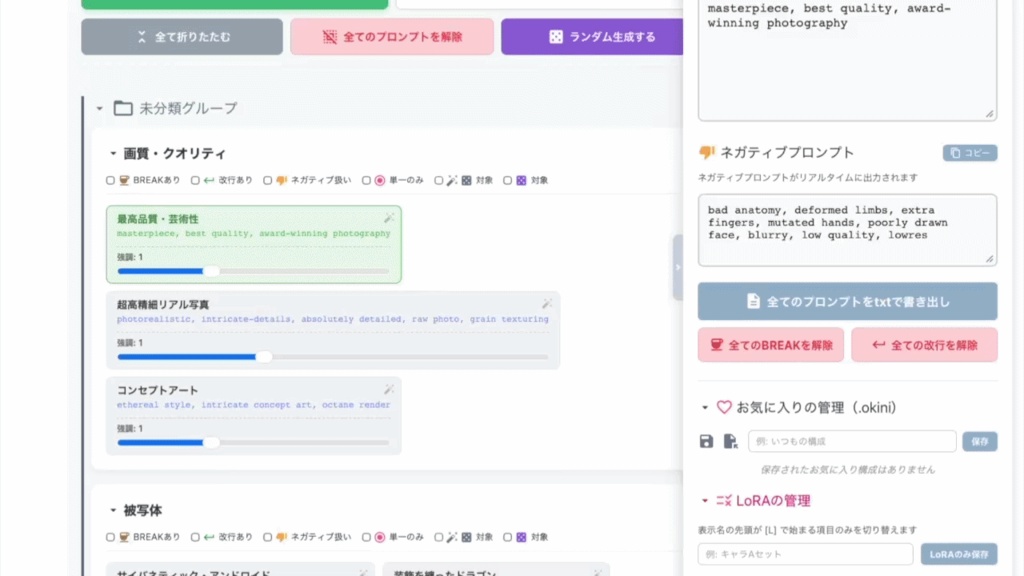
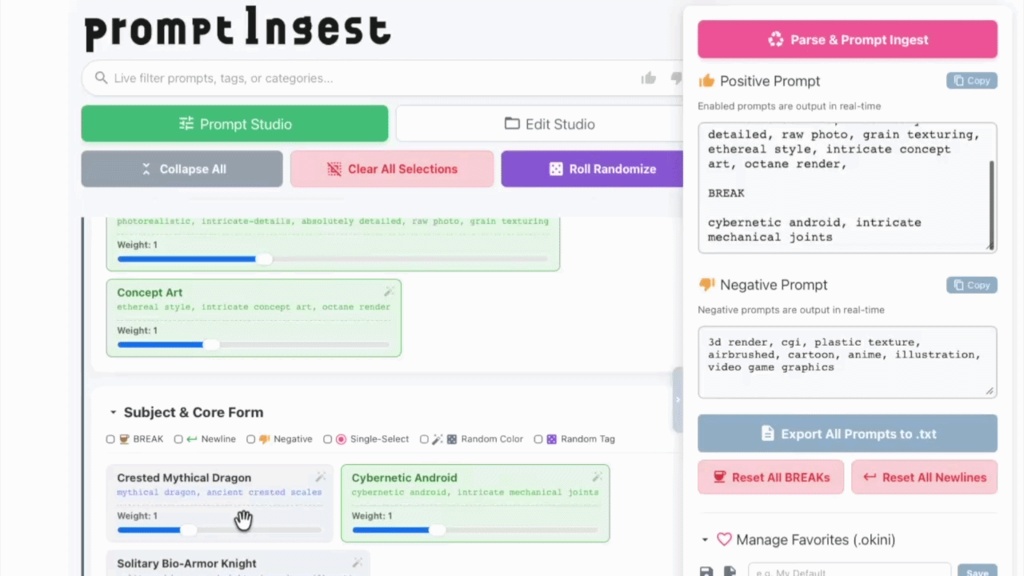
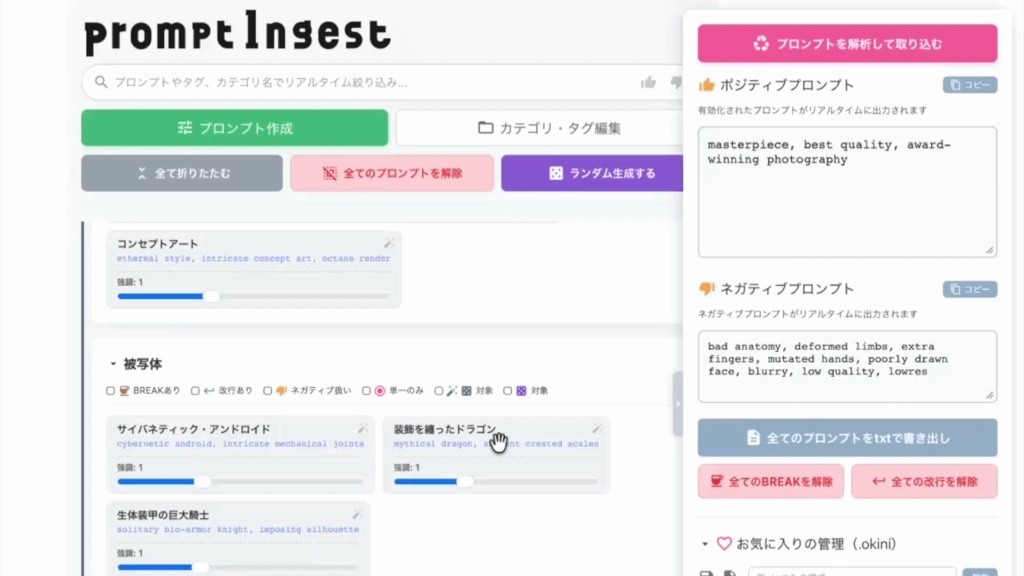
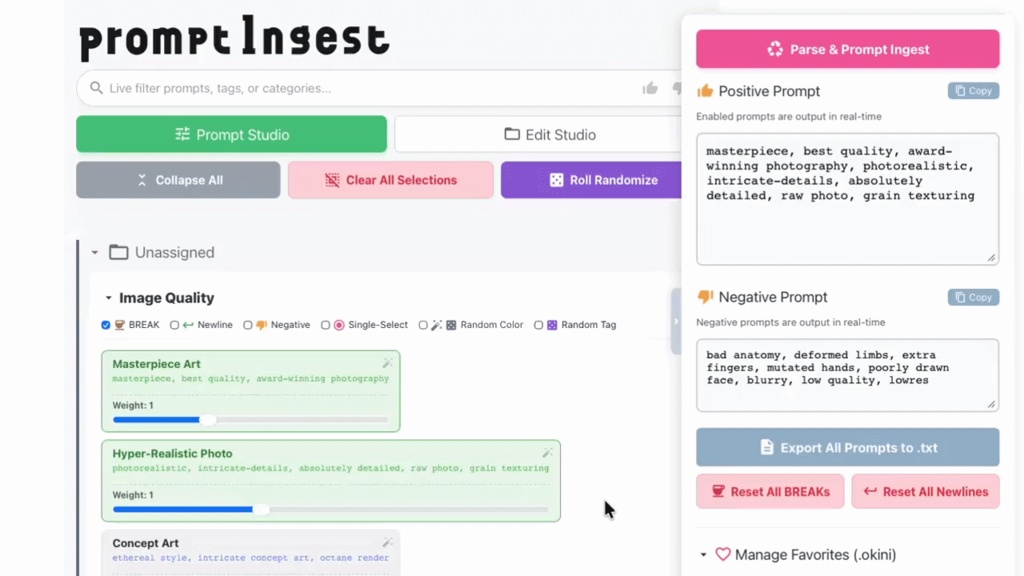
【ビューワーモード!】= NEW!! 画像フォルダを指定して、生成した画像を閲覧することができます。 採用・保留・削除が捗ります。 クイックプレビューや画像比較も搭載! ベゼルを極限まで減らしたデザインで画像のセレクトに没頭できます。 【API連携機能!】 自然言語に翻訳したプロンプトでも、 カンマ区切りのいつものプロンプトでも、 お好きな方を選択して画像生成ソフトに放り投げちゃいましょう! 【プロンプト解析&取り込み!】 どこかでゲットしたプロンプト…。 これは、いるタグ!いらないタグ!をササっと分別! 【ポチポチ式プロンプト作成!】 取り込んだタグをポチポチ選ぶだけでプロンプトのできあがり! 【タグの編集/カラー編集/強調も自由自在!】 カラーパレットやらスライダーで選ぶだけ! 【グループ&カテゴリ分けでタグ管理!】 大量のタグがあっても大丈夫!爆速検索機能付き! 【ドラッグ&ドロップで自由に組み替え!】 やはりプロンプトって順番が大事ですよね…うん。 【お気に入りのセットはファイル形式`.okini`で書き出し可能!】 大切なコレクション…自慢したいですよね。 【LoRAの切り替え!】 LoRA使いたい時と使いたくない時!…ありますよね。 【CSV一括取り込み!】 家宝のプロンプト、ザザ〜〜っと取り込んじゃってください。
できないこと
🙅 画像生成はできません! あくまでプロンプト作成補助ツールです。 🙅 プロンプトやLoRAは入っておりません! ご自身でご用意ください。
動作環境
Windows版: Windows 10 / 11 Mac版: macOS 11.0 以降 Apple Silicon M1/M2/M3/M4 ※API連携機能およびプロンプト読み込み機能は、Stable Diffusion WebUI (AUTOMATIC1111) にて動作確認済
Windows環境でのインストールに関して
本ソフトは個人開発の性質上、Windows環境においてインストールの際、スマートアプリコントロールにより起動がブロックされる場合があります。 以下の手順でロックを解除して実行してください。 【起動ブロックの解除方法】 1)ダウンロードしたインストーラー(`.exe`)を右クリックして 「プロパティ」を開きます。 2)画面最下部のセキュリティ項目にある 「許可する」 または「ブロックの解除」にチェックを入れます。 3)「適用」➔「OK」を押し、再度ダブルクリックしてインストーラーを起動してください。 ※Windows 11の「スマート アプリ コントロール」がオンになっている環境では、上記解除を行っても実行できない場合があります。その場合は、一時的に設定を「評価モード」または「オフ」にしてインストールしてください。 ※製品版購入の前に、体験版での動作確認をお勧めします。
Mac版が「壊れている」と表示されて開けない場合
本ソフトは個人開発のインディーズ製品のため、Macのセキュリティにブロックされる場合があります。 その場合は、アプリケーションフォルダにアプリをコピーしたのち、ターミナルアプリを開き、 以下のコマンドをコピー&ペーストして実行(Enter)してください。正常に起動できるようになります。 製品版の場合: xattr -rc /Applications/PromptIngest.app 体験版の場合: xattr -rc /Applications/PromptIngest-Trial.app ※製品版購入の前に、体験版での動作確認をお勧めします。
体験版と製品版の違い
『お気に入り』と『LoRA』のストック最大10件まで、初期化不可!という制限はありますが、ほぼほぼフル機能を日数制限無しでお試しいただけます!
免責事項
本ソフトウェアは、生成AIのプロンプトをテキスト形式で成形・出力、および管理するための独立した支援ツールです。本ソフトは、OpenAI社、Google社、Stability AI社、および「Stable Diffusion WebUI (AUTOMATIC1111)」をはじめとする各種生成AIサービス・ソフトウェアの運営・開発元とは一切関係がありません。 ※本ソフトは現状有姿で提供されます。本ソフトのダウンロード、インストール、および使用に伴ういかなる結果(PCの動作不良、データの破損、その他一切の損害)についても、開発者は一切の責任を負いません。すべてご自身の責任においてご利用ください。 ※個人開発の性質上、すべての環境での完全な動作を保証するものではありません。OSのアップデート等により利用できなくなる場合があります。 【バックアップのお願い】 本ソフトは基本オートセーブですが、細かなバグ等によりデータが巻き戻る可能性もゼロではありません。お気に入りの素晴らしい構成ができた際には、こまめにバックアップファイルを保存(エクスポート)することをお勧めします。 ※体験版(Trial版)における適切なアラート通知を制御するため、本アプリのアンインストール後も、PC内(ローカルのシステム共通データ領域)に暗号化された独自の起動制限マーカーファイルが一部保持されます。あらかじめご了承ください。 ※Windowsでの起動時に表示されるセキュリティ警告は、個人開発(未署名)アプリに表示されるOS標準の仕様です。ご不安な場合は利用をお控えください。ご購入後の返金・返品には応じかねます。 PromptIngest (C) 2026 7D-Works. All rights reserved.
- - - - - - - - - - - - - - - - - - - - - - - - - - - - - - - - - - - - -
Creating prompts, made completely intuitive!!
Want to instantly extract and use only the tags you need from a prompt someone shared? Obsessed with tag ordering and want to rearrange them instantly with drag-and-drop? Is your Notepad totally overwhelmed to the point where you don't even know what prompt is what anymore?! Tired of hitting the Ctrl key millions of times just to copy and paste?! (You can copy by just hitting [C]!! Seriously, who needs Ctrl anymore? lol)
What It Can Do
**Viewer Mode!** = NEW!! Specify an image folder to browse your generated creations. Easily organize your images into Accepted, Kept, or Deleted categories. Also equipped with Quick Preview and Image Comparison features! Designed with ultra-thin bezels so you can completely immerse yourself in selecting images. **Prompt Parsing & Ingest!** Got a prompt from somewhere? Instantly separate the tags you want from the ones you don't! **Click-and-Create Prompts!** Just click your imported tags to assemble a brand-new prompt instantly! **Tag Editing / Color Coding / Emphasis customization!** Just pick from color palettes or tweak a slider! **Manage Tags by Groups & Categories!** No problem even if you have thousands of tags! Built-in lightning-fast search included! **Drag & Drop to rearrange freely!** Because as we all know, tag ordering is absolutely everything... yep. **Export your favorite setups as `.okini` files!** Want to show off your precious prompt collection to your friends? Go for it! **LoRA Toggling!** Sometimes you want your LoRAs active, sometimes you don't! ...We've all been there. **Bulk CSV Importing!** Take all those prompts you've hoarded over the months and dump them all right in!
What It Cannot Do
🙅 **It does NOT generate images!** This is strictly an assistant tool for prompt creation. 🙅 **It does NOT come with pre-installed prompts or LoRAs!** Please prepare your own assets.
System Requirements
Windows: Windows 10 / 11 Mac: macOS 11.0 or later Optimized for Apple Silicon M1/M2/M3/M4 ※API integration and prompt extraction features have been tested and verified with Stable Diffusion WebUI (AUTOMATIC1111).
Regarding Installation on Windows Environments
Due to the nature of indie-developed software, Windows Smart App Control may block the application from launching during download or installation. Please follow these steps to unblock and run the installer:
[How to Unblock the Application]
1. Right-click the downloaded installer (`.exe`) and open "Properties". 2. Check the box for "Allow" or "Unblock" located under the Security section at the very bottom of the screen. 3. Click "Apply" ➔ "OK", then double-click the installer again to launch it. ※If Windows 11 "Smart App Control" is strictly set to ON, you might not be able to run it even after following the steps above. In that case, please temporarily switch the setting to "Evaluation Mode" or "OFF" to proceed with the installation. ※We highly recommend testing your environment with the Trial Version before purchasing the Full Version.
If the Mac version says "is damaged and cannot be opened"
Because this software is an indie product from an individual developer, it may be blocked by macOS security. In this case, please copy the app to your Applications folder, open the Terminal app, and copy & paste the following command to execute it (Press Enter). It will then launch normally. For Product Version: xattr -rc /Applications/PromptIngest.app For Trial Version: xattr -rc /Applications/PromptIngest-Trial.app ※We highly recommend testing your environment with the Trial Version before purchasing the Full Version.
Differences Between Trial and Full Version
**Trial Version:** While there are certain limitations—such as a maximum stock of 10 slots each for "Favorites" and "LoRAs," and no data initialization—you can test almost the full range of features with absolutely no time limit!
Disclaimer
This software is an independent utility tool designed to format, output, and manage generative AI prompts in text format. This software is completely unaffiliated with OpenAI, Google, Stability AI, "Stable Diffusion WebUI (AUTOMATIC1111)", or any other developers and operators of generative AI services and software. This software is provided "as is". The developer assumes no responsibility or liability for any consequences, damages, data corruption, or PC malfunctions resulting from the download, installation, or use of this software. Please use it entirely at your own risk. Due to the nature of indie development, complete compatibility across all PC environments cannot be guaranteed. The software may temporarily become unavailable due to future OS updates. [Recommendation on Backup] Although the application basically autosaves your progress, unexpected minor bugs could potentially cause data loss. When you achieve that perfect prompt configuration, we highly recommend manually exporting backup files frequently to protect your valuable data. In order to control appropriate alert notifications for the Trial version, a unique encrypted launch restriction marker file will remain in your PC (local system common data area) even after uninstalling the application. Thank you for your understanding. Security warnings displayed during launch on Windows are standard OS behaviors for unsigned, individually developed applications. If you have any concerns regarding security, please refrain from using the software. Returns and refunds are not available after purchase. PromptIngest (C) 2026 7D-Works. All rights reserved.
アップデート履歴
[2026-06-25: v1.0.0] Windows版リリース [2026-06-27: v1.0.0] Mac版リリース [2026-06-29: v1.1.0] ダークモード搭載 [2026-06-30: v1.2.0] 体験版を充実! [2026-07-02: v1.3.0] 3大プロンプト出力形式に対応! [2026-07-05: v1.4.0] 画像からメタデータ抽出対応! [2026-07-06: v1.5.0] 自然言語変換からのAPI連携! [2026-07-11: v1.6.0] 画像データにタグ構造埋め込み! [2026-07-27: v1.7.0] ビューワーモード搭載! [2026-07-27: v1.7.1] Mac版微調整 ...